Note
Go to the end to download the full example code.
Extract typed field entries from a dictionary
OpenFOAM dictionaries can carry typed entries — single scalars and
vectors are easy, but they also embed fields (scalarField,
vectorField, tensorField) and lists of words. This how-to
shows the get[T] accessor for every typed entry kind.
Tutorial T1 (Read, modify, and write OpenFOAM dictionaries) covers
the basics: reading controlDict, modifying values, writing back.
This page picks up where T1 stops — it’s the recipe for pulling
fields out of a dictionary into NumPy.
Prerequisite: finished T1.
Locate a dictionary with the typed entries we need
The shipped examples/case/ includes a system/TestDict whose
only purpose is to exercise every typed entry shape. We do not need
to clone the case for this — the file is read-only.
from pybFoam import examples_root

test_dict_path = examples_root() / "case" / "system" / "TestDict"
print(f"reading {test_dict_path}")
reading /home/runner/work/pybFoam/pybFoam/examples/case/system/TestDict
Single typed values
get[float], get[Word], get[vector], get[tensor] work
the same way — they hand back a Python-friendly object that is also
zero-copy NumPy-viewable for the multi-component types.
import numpy as np

import pybFoam
from pybFoam import Word, dictionary

td = dictionary.read(str(test_dict_path))

print("word   :", td.get[Word]("word"))
print("scalar :", td.get[float]("scalar"))
print("vector :", np.asarray(td.get[pybFoam.vector]("vector")))
print("tensor :", np.asarray(td.get[pybFoam.tensor]("tensor")))
word   : word
scalar : 1.1
vector : [1.1 1.1 1.1]
tensor : [1.1 1.1 1.1 1.1 1.1 1.1 1.1 1.1 1.1]
Field entries
A dictionary can hold a whole Field<scalar> (or Field<vector>,
Field<tensor>) inline. get[scalarField] returns a
pybFoam.scalarField whose buffer is exposed to NumPy with no
copy. Field entries arrive in their full type (e.g. tensor fields are
already shaped (N, 9)).
scalars = td.get[pybFoam.scalarField]("scalarField")
vectors = td.get[pybFoam.vectorField]("vectorField")
tensors = td.get[pybFoam.tensorField]("tensorField")
words = td.get[pybFoam.wordList]("wordList").list()

scalars_np = np.asarray(scalars)
vectors_np = np.asarray(vectors)
tensors_np = np.asarray(tensors)

print(f"scalarField : shape={scalars_np.shape}  values={scalars_np}")
print(f"vectorField : shape={vectors_np.shape}  values={vectors_np.tolist()}")
print(f"tensorField : shape={tensors_np.shape}")
print(f"wordList    : {words}")
scalarField : shape=(2,)  values=[1. 1.]
vectorField : shape=(2, 3)  values=[[1.0, 1.0, 1.0], [1.0, 1.0, 1.0]]
tensorField : shape=(2, 9)
wordList    : ['word1', 'word2']
Sub-dictionaries
dictionary.subDict gives back another dictionary —
the same accessors continue to work.
sub = td.subDict("subDict")
print("subDict keys :", list(sub.toc()))
print("subDict.word2:", sub.get[Word]("word2"))
subDict keys : [word2]
subDict.word2: word2
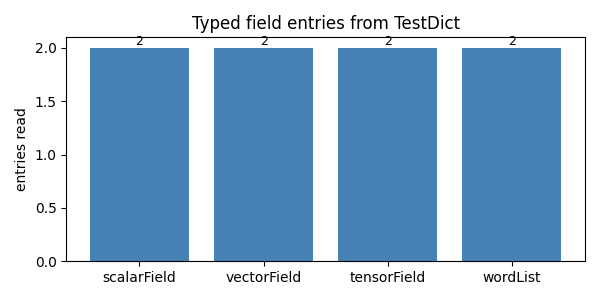
Plot the field-entry sizes
A trivial bar chart that proves every field entry materialised. A zero bar would mean the dictionary parser did not pick up that entry’s type.
import matplotlib.pyplot as plt

labels = ["scalarField", "vectorField", "tensorField", "wordList"]
sizes = [
    scalars_np.size,
    vectors_np.shape[0],
    tensors_np.shape[0],
    len(words),
]

fig, ax = plt.subplots(figsize=(6, 3))
bars = ax.bar(labels, sizes, color="steelblue")
ax.set_ylabel("entries read")
ax.set_title("Typed field entries from TestDict")
for b, n in zip(bars, sizes):
    ax.text(
        b.get_x() + b.get_width() / 2,
        b.get_height(),
        f"{n}",
        ha="center",
        va="bottom",
        fontsize=9,
    )
fig.tight_layout()
plt.show()
See also
Read, modify, and write OpenFOAM dictionaries — read / modify / write a dictionary, single typed values.
Build and operate on a scalarField — operate on the
pybFoam.scalarFieldyou just extracted.
Total running time of the script: (0 minutes 0.069 seconds)